PETG has a famous problem: it sticks to smooth PEI build plates so well that the plate gets damaged when you try to remove the print. Forum threads about ripping chunks of PEI off a plate after a PETG print are some of the most common help requests in 3D printing. The fix isn’t a different filament or a different printer — it’s a different build plate.
This guide picks 3 build plates that handle PETG cleanly, organized by which printer you own. They all share the same key feature: a textured surface (or alternative coating) that gives PETG an easier release without sacrificing first-layer adhesion.
TL;DR — pick by printer
| Printer | Plate | Price |
|---|---|---|
| Bambu Lab A1, P1S, X1C, X1E (256mm) | BIQU Textured PEI 257×257mm | $30 |
| Creality Ender 3 / V3 series (235mm) | Creality Official PEI Spring Steel | $25 |
| Anycubic Kobra, Sovol, generic 235mm bedslingers | Generic Textured PEI 235×235mm | $18 |
If your printer fits one of these size categories, the matching plate will solve the PETG release problem. None of them require modifying your printer — drop them on top of your existing magnetic base and you’re done.
Why PETG sticks to smooth PEI
The chemistry: PETG is a thermoplastic with a high surface energy when molten. It bonds chemically to PEI (polyetherimide) when both are hot, and the bond strengthens as the part cools. By the time you try to remove a PETG print from a smooth PEI plate, the bond is so strong that the part won’t release without taking some PEI with it.
This isn’t a defect — it’s exactly what makes PEI a good build surface for PLA. PLA also bonds well to PEI, but PLA shrinks more during cooling, which gives the part natural release. PETG shrinks less, so the bond holds.
The fix is reducing the contact area at the bond interface. Two approaches:
- Textured PEI — instead of a smooth sheet, use a textured PEI sheet with microscopic ridges. The bond still forms but only on the ridge tops, not the valleys, so total bond strength is much weaker.
- Glue layer — apply a thin layer of glue stick (Elmer’s Purple is the canonical recommendation) to a smooth PEI plate. The glue bonds to PEI on one side and PETG on the other, providing a sacrificial release layer.
Textured plates are the better long-term solution: they’re cheaper than constant glue stick reapplication, they don’t leave residue, and they handle PLA and ABS just as well. Glue is the emergency fix when you don’t have a textured plate yet.
Best for Bambu Lab printers: BIQU Textured PEI 257×257mm
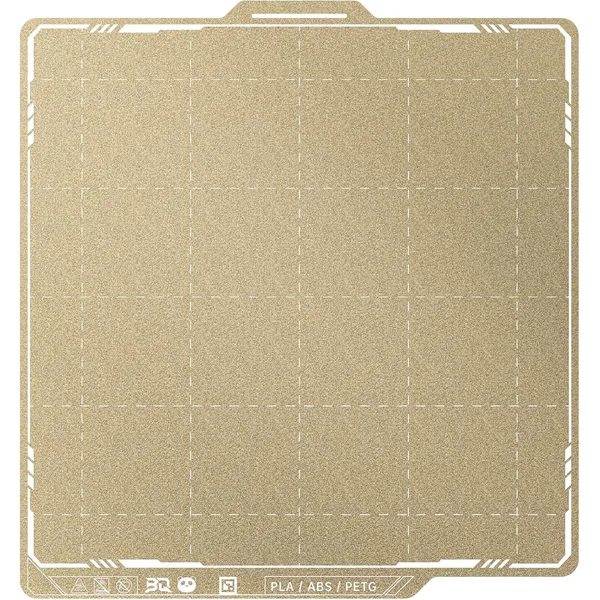
BIQU Textured PEI Build Plate (Bambu Lab 257×257mm)
$30BIQU · mid
The most-recommended Bambu Lab replacement plate. Textured PEI surface releases PETG cleanly without the chunk-ripping problem of smooth plates.
- 257×257mm — fits A1, P1S, X1C
- Double-sided textured PEI
- Better PETG release than smooth plates
If you own a Bambu Lab A1, P1S, X1 Carbon, or X1E, you need a 257×257mm plate (the standard Bambu build size). Bambu sells official textured PEI plates, but BIQU makes a third-party version that’s cheaper, just as good, and double-sided — textured on one side for PETG, smooth on the other for fine PLA detail.
Why this beats the official Bambu plate:
- $30 vs ~$50 for Bambu’s official plate
- Double-sided design — flip it for PLA detail prints, no need to swap plates
- Same construction as Bambu’s plate (spring steel base + PEI coating)
- Magnetic — drops onto the existing Bambu magnetic base, no installation
- Available on Amazon Prime — ships next-day vs Bambu’s longer shipping times
The trade-off is that BIQU isn’t an OEM brand. If you’re worried about warranty implications (you shouldn’t be — Bambu doesn’t void anything for using third-party plates), buy the official Bambu plate instead. If you just want the best PETG release per dollar, BIQU wins.
One important thing: the BIQU plate fits Bambu’s 256×256mm build volume printers (A1, P1S, X1C, X1E). It does not fit the Bambu A1 Mini, which uses a smaller 180×180mm plate. The A1 Mini doesn’t have a third-party textured plate option in the same price range — for the Mini, the official Bambu PEI textured plate ($25) is currently your only good choice.
Buy this for: Bambu A1, P1S, X1C, X1E printing PETG regularly.
Best for Creality printers: Creality Official PEI Spring Steel
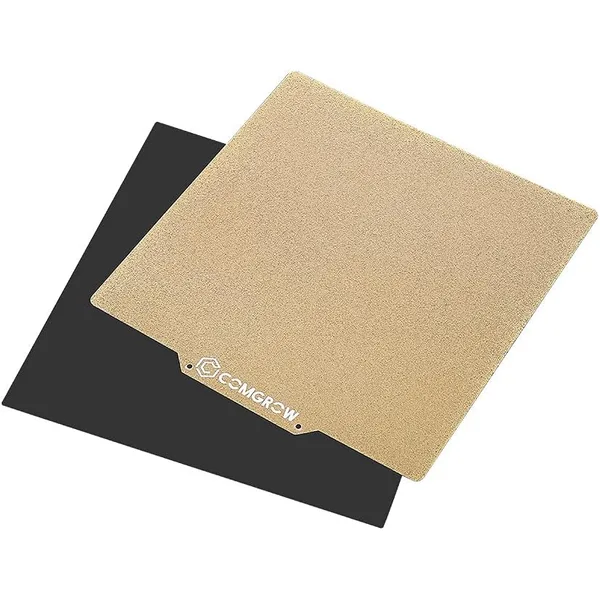
Creality PEI Spring Steel Build Plate (235×235mm)
$25Creality · budget
Official Creality flexible spring-steel PEI plate for the Ender 3 / V3 series. Drop-in replacement that fixes most adhesion + removal issues.
- 235×235mm — Ender 3 / V3 compatible
- Magnetic flexible spring steel
- Official Creality replacement
If you own an Ender 3 V3 SE, V3 KE, V3 Plus, or any 235mm bedslinger from Creality, the official Creality PEI spring steel plate is the right replacement. It’s a drop-in upgrade from the stock textured glass or smooth carbon-fiber plate that ships with most Ender 3 V3 variants.
Why this is the right pick over generic plates:
- OEM-fit guarantee — sized exactly for the Creality magnetic base, no overhang issues
- Spring steel base for the flexing-to-release trick (curve the plate after printing and the part pops off)
- Supports both PLA and PETG with predictable behavior
- Customer support directly from Creality if you have a defect
- Backed by Creality QC (which is more consistent than no-name Amazon sellers)
The honest downside: at $25, it’s slightly more expensive than the generic 235mm plates below. If you’re cost-sensitive and don’t care about the OEM badge, the generic option is genuinely identical in performance.
Buy this for: Ender 3 V3 series, anyone who values warranty support, anyone who doesn’t want to deal with sizing issues.
Best generic budget option: Generic Textured PEI 235×235mm
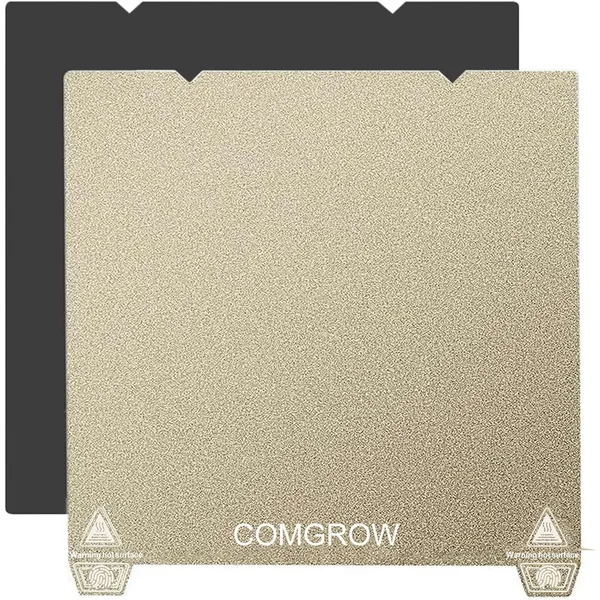
Generic Textured PEI Plate (235×235mm)
$18Generic · budget
Budget textured PEI plate compatible with Ender 3 V3 SE/KE, Anycubic Kobra, and other 235mm bedslingers. Same construction as branded plates at half the price.
- 235×235mm — universal Ender-class fit
- Textured side for PETG, smooth for PLA
- Budget-friendly under $20
For Anycubic Kobra, Sovol SV06, Elegoo Neptune 4, and other 235×235mm bedslingers — or for Creality owners who just want the cheapest functional option — a generic textured PEI plate from Amazon does the same job for less money.
What you get for the price:
- 235×235mm — fits the standard Ender-class build volume that most non-Bambu, non-Prusa printers use
- Double-sided — textured for PETG, smooth or PEY (frosted) on the back for PLA detail prints
- Magnetic spring steel base — drops onto any standard 235mm magnetic mount
- Under $20 — cheap enough that you can buy two and never worry about wearing one out
What you give up:
- No warranty / customer service — if it warps in 6 months, you’re SOL
- Slightly inconsistent QC — the same Amazon listing can ship from multiple manufacturers, so quality varies
- No brand name — these are basically white-label products
For a casual hobbyist printing PETG occasionally, the generic plate is fine. For a daily printer or commercial use, spend the extra $7 on the Creality OEM version for the QC + support.
Buy this for: Anycubic Kobra, Sovol, Neptune, generic Ender clones, anyone on a budget.
Settings to actually use these plates
A textured PEI plate alone won’t fix PETG if your slicer settings are wrong. The right settings for PETG on a textured plate:
| Setting | Value | Why |
|---|---|---|
| Bed temperature | 70-80°C | Lower than smooth PEI (which needs 80-90°C) |
| First layer Z-offset | +0.05mm vs PLA | Textured surface needs slightly more clearance |
| First layer speed | 20 mm/s | Slower for adhesion onto textured surface |
| Print fan, layers 1-3 | 0% | PETG needs heat to bond, no fan early |
| Print fan, layer 4+ | 30-50% | Less than PLA’s 100% |
| Retraction | 5-7mm Bowden / 1.5-2mm direct drive | Standard PETG retraction |
| Z-hop | 0.2-0.4mm | Helps avoid stringing on travel moves |
The single most common PETG-on-textured-PEI failure mode is first layer Z-offset too low — the same offset you use for PLA squishes the PETG into the texture too hard, making it impossible to remove. Always raise Z by ~0.05mm when switching from PLA to PETG on a textured plate.
What about PEY/PEO (frosted) plates?
PEY (also called PEO or “frosted”) is an alternative to textured PEI that some plates ship with on the reverse side. It’s a different polymer with even lower adhesion to PETG than textured PEI.
Tradeoffs:
- Pro: PETG releases even more easily — sometimes pops off before the print finishes cooling
- Con: First-layer adhesion is weaker, so you need more first-layer squish, more bed temp, or both
- Con: PEY scratches more easily than PEI
For most users, textured PEI is the safer recommendation. PEY is for advanced users who want the easiest release at the cost of more setup fiddling.
Setup, day one
Once you’ve ordered your plate, the setup is trivial — usually 5 minutes:
- Power off your printer (don’t try to swap plates while the bed is hot)
- Wait for the bed to cool to room temperature
- Lift the old plate off the magnetic base — it should come off easily by hand
- Wipe the magnetic base with a dry microfiber cloth to remove any dust
- Drop the new plate onto the magnetic base, making sure the orientation pins (or notches) line up
- Re-run your printer’s bed leveling routine — most modern printers do this automatically on the next print
- Adjust Z-offset by +0.05mm in your slicer for PETG prints (the textured surface needs slightly more clearance than the smooth one)
That’s it. Your next PETG print should release cleanly with a small flex of the spring steel plate after the bed cools below 50°C.
Calculate the real cost of switching
A new build plate is a one-time $18-30 investment, but it pays for itself fast if PETG failures have been costing you filament. A failed PETG print typically wastes 10-30 grams of filament, plus the labor of unsticking the part and re-leveling. At $0.022/gram (Overture PETG), that’s $0.22-$0.66 per failure, plus 15-30 minutes of your time.
For a hobbyist printing PETG once a week, two failures saved per month = the plate paid for itself in about 6 months purely on filament waste reduction. Use our filament cost calculator to model your specific waste rate — bumping the waste factor slider from 8% to 3% shows the meaningful difference between fighting PETG on a smooth plate and printing it cleanly on a textured one.
Frequently asked questions
Can I use a glue stick instead of buying a textured plate?
Yes, as a temporary fix. Apply a thin, even layer of Elmer’s Purple Disappearing glue stick to your smooth PEI plate before each PETG print. The glue creates a sacrificial release layer that prevents PETG from bonding directly to the PEI. Reapply every 2-3 prints. The downside is the glue residue builds up over time and needs to be washed off with warm water periodically. For occasional PETG use, glue is fine. For regular PETG printing, a textured plate is cleaner.
Will a textured plate ruin my PLA prints?
No — modern textured PEI plates handle PLA, PETG, and ABS equally well. The texture is microscopic enough that it doesn’t show up on most prints, though very fine detail (under 0.5mm) may pick up slight texture from the plate. If you print a lot of fine-detail miniatures, keep a smooth plate as a second option. For 95% of prints, the textured plate is the only plate you need.
Do textured plates wear out?
Yes, slowly. The PEI coating gradually thins from contact with thousands of prints, and after 1-2 years of daily use you’ll start seeing first-layer adhesion problems. Most users never reach this point — it takes a print farm scale of usage to wear out a plate in less than 2 years.
Can I print ABS on a textured PEI plate?
Yes, with caveats. ABS sticks well to textured PEI without any glue, but ABS warps a lot, so you’ll want an enclosed chamber or at least a brim/raft around the part. The plate handles the chemistry fine — warping is a separate problem that’s about chamber temperature, not bed adhesion.
What if my plate doesn’t stick at all?
Three quick checks: (1) clean the plate with isopropyl alcohol — fingerprints kill adhesion, (2) lower your Z-offset by 0.05mm increments until the first layer squishes properly, (3) raise bed temperature by 5°C. If none of those work, your plate may be defective — Amazon returns the worst plates without question.
Is Bambu’s official textured PEI plate worth the premium over BIQU?
For most users, no. The performance is identical — both are spring steel with PEI coating. Bambu’s plate has slightly more consistent QC and ships in branded packaging. BIQU’s plate is double-sided (textured + smooth) where Bambu’s official cool plate is single-sided. At ~40% lower price for the BIQU, the value math favors third-party.