3D printing for kids is one of the few hobbies where the technology has caught up to the marketing. Five years ago, “3D printer for kids” meant a toy that barely worked. In 2026, you can buy a real, fully-capable 3D printer for under $300 that handles bed leveling automatically, prints kids’ models from Thingiverse and Makerworld in minutes, and is genuinely safe to use with adult supervision.
This guide picks the 4 best options across age groups and budgets. All are real 3D printers that adults use too — none of them are toys.
TL;DR — pick by age and budget
| Age range | Pick | Price | Why |
|---|---|---|---|
| Best overall (8+) | Bambu Lab A1 Mini | $299 | Auto-everything, safest enclosed-side hotend, smallest footprint |
| Best for older kids (10+) | Bambu Lab A1 | $399 | Bigger build volume, same auto-everything ease |
| Budget pick (12+) | Creality Ender 3 V3 KE | $269 | Bigger build, more customization, larger learning curve |
| Best for serious teen makers (13+) | Bambu Lab P1S | $699 | Enclosed CoreXY, prints engineering plastics, full upgrade path |
If your kid is 8-12 and this is their first printer, buy the Bambu A1 Mini. It’s the safest, easiest, and lowest-friction option, and even adults are happy with it as their primary printer.
What “kid-safe” actually means in 2026
The biggest safety risks in 3D printing are:
- Hot nozzle (200°C+) — burn risk if a kid touches it during a print
- Heated bed (60°C+) — uncomfortable but rarely dangerous
- Moving parts — pinch hazard from bed and gantry
- VOC emissions — small amounts of styrene from ABS, less from PLA
- Clogged nozzle removal — sometimes requires sharp tools
A “kid-safe” 3D printer addresses all of these. The two non-negotiable features:
- Auto-leveling — no kid should have to manually level a bed with paper feeler gauges. Modern printers do this automatically.
- Enclosed or shielded hotend — the nozzle should be hard to accidentally touch, even if a kid reaches into the printer mid-print.
PLA is the only filament you should use with kids. It’s plant-based (cornstarch-derived), low-VOC, and prints at the lowest temperature (200°C vs ABS at 250°C). Every printer in this list ships with PLA profiles ready to go.
With adult supervision, every printer in this guide is safe for kids 8 and up. Without supervision, the safest option is the Bambu A1 Mini because the hotend is partially shielded by the print head housing.
Best overall: Bambu Lab A1 Mini
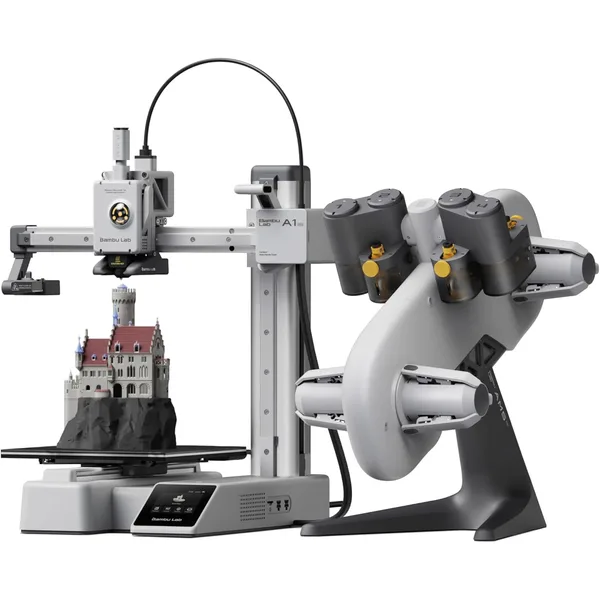
Bambu Lab A1 Mini
$299Bambu Lab · budget
The best-in-class starter 3D printer under $300. Auto calibration, clean UI, print-ready out of the box.
- 180×180×180 mm build volume
- Auto bed leveling + calibration
- ~90W average power draw
The A1 Mini is the right answer for almost every “3D printer for a kid” question in 2026. It’s small enough to fit on a desk, cheap enough to risk on a beginner, and easy enough that an 8-year-old can run it after a 10-minute orientation.
What makes it the kid-friendly winner:
- Auto everything: bed leveling, flow rate calibration, vibration compensation, and filament loading all happen automatically. Kids can press a button and have a working print start in 90 seconds from cold.
- Partially shielded hotend: the nozzle is recessed inside the print head housing, so accidentally touching it is much harder than on open-frame printers.
- 180×180×180mm build volume: enough for most kid-friendly models (figurines, key chains, organizers, articulated toys), small enough that prints finish in 20-45 minutes instead of hours.
- Bambu Studio app on iPad: kids can browse Bambu’s MakerWorld library directly from a tablet, pick a model, and send it to the printer with one tap. No CAD, no slicer settings, no fiddling.
- AMS Lite ($160 add-on): when kids inevitably want multi-color prints, you can add the multicolor system without buying a new printer.
What it’s not great for:
- Large prints (over 180mm in any dimension)
- Engineering plastics (ABS, PC, nylon — kids shouldn’t print these anyway)
- Very young kids (under 8) who might be too rough with delicate cabling
Buy this for: Kids 8-12, first-time 3D printing households, any kid who wants to print figurines and small toys with minimum frustration.
Best for older kids: Bambu Lab A1
The full-size A1 (not the Mini) is the right step-up for kids 10+ who want to print bigger things — large dragon figurines, full Pokemon models, large multi-part prop sets. Same auto-everything ease as the A1 Mini, but with a 256×256×256mm build volume that handles models the Mini can’t.
Why upgrade to the A1 over staying with the Mini:
- 2× the build volume in each dimension (almost 3× the volume by mass)
- Faster volumetric flow (~20 mm³/s vs the Mini’s ~16 mm³/s)
- Same software, same auto-everything, same safety profile
When the Mini isn’t enough:
- Your kid is hooked on cosplay or larger props
- They’re printing for a school project that needs full-size parts
- They’ve outgrown the Mini and want to go bigger without learning a new system
Cost difference: $299 (Mini) vs $399 (A1). $100 buys a meaningful jump in capability.
Buy this for: Kids 10+ who’ve already used a 3D printer or who want to start with the bigger build volume.
Budget pick for teens: Creality Ender 3 V3 KE
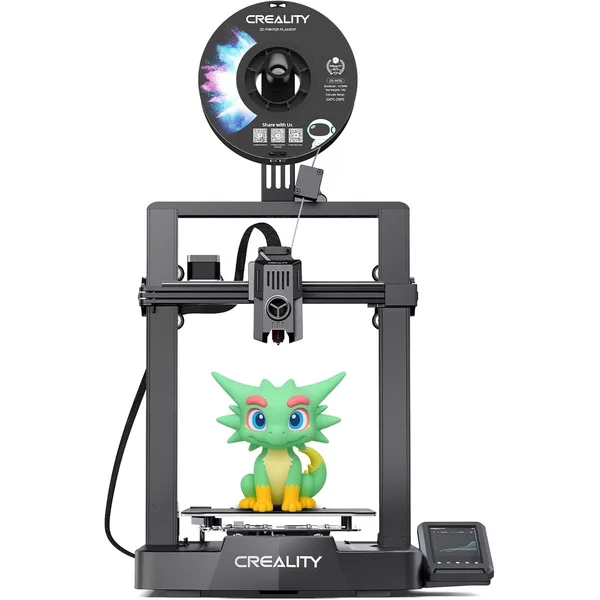
Creality Ender 3 V3 KE
$269Creality · budget
Faster replacement for the classic Ender 3. Klipper firmware, decent out-of-box quality, under $300.
- 220×220×240 mm build volume
- Klipper firmware, 500 mm/s marketed
- ~120W average power draw
The Ender 3 V3 KE is the best 3D printer under $300 that isn’t a Bambu. It’s slightly more involved to set up, has fewer auto-features, and the user interface is less polished — but it’s bigger (220×220×240mm), prints just as well, and gives a kid more of a “I built this” tinkering experience.
Why this might be the right pick over a Bambu:
- Bigger build volume — handles 220mm prints the A1 Mini can’t
- More tinkerability — kids who want to learn how the printer works (modify firmware, swap parts, design upgrades) get more out of an Ender than a closed Bambu ecosystem
- Bigger community — Ender 3 series is the most common 3D printer in the world, so YouTube tutorials and Reddit support are everywhere
- Same price as the A1 Mini ($269 vs $299)
- Klipper firmware — modern, fast, well-supported
The trade-offs are real:
- Open frame — the hotend is exposed. Stricter adult supervision needed for younger kids.
- Less polished software — Creality Print is fine but isn’t as kid-friendly as Bambu Studio
- Slightly more setup — first-time configuration takes 30 minutes vs the Bambu’s 5 minutes
Buy this for: Kids 12+ who like to tinker, families on a strict budget, anyone who wants the biggest build volume under $300.
Best for serious teen makers: Bambu Lab P1S
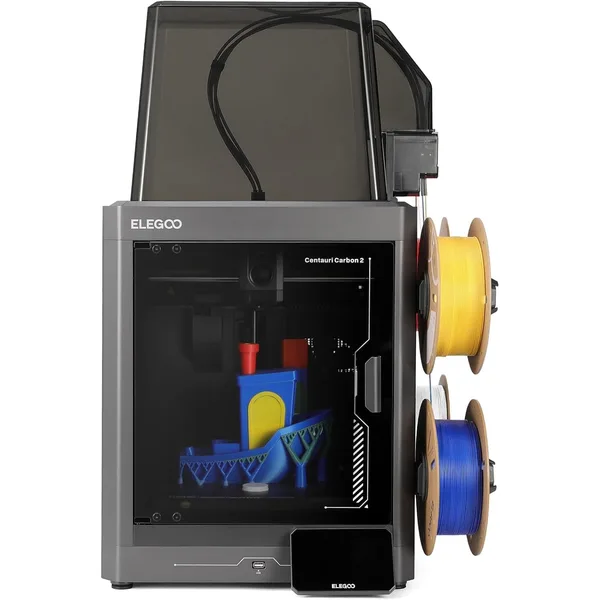
Bambu Lab P1S
$699Bambu Lab · mid
Enclosed CoreXY that just works. The default pick for anyone ready to graduate from a starter bedslinger.
- 256×256×256 mm enclosed chamber
- ~25 mm³/s volumetric flow
- Handles PLA, PETG, ABS, ASA
If you have a teenager who’s already done a year on a Bambu A1 or Creality and wants to graduate to “real maker” tools, the P1S is the right next step. It’s the same easy software as the A1 Mini but with an enclosed CoreXY mechanical setup that’s faster, larger, and capable of printing engineering materials (ABS, ASA, PC blends).
For a teenager who’s serious about 3D printing as a hobby or career path:
- Enclosed chamber keeps moving parts out of reach — actually safer than open-frame printers despite the more aggressive specs
- Prints multi-color out of the box with AMS — perfect for cosplay, model kits, articulated figures
- 256×256×256mm build volume — handles full-size cosplay parts, large figurines, and multi-part assemblies in one print
- Same Bambu Studio software as the A1 Mini, so no relearning required if your kid already knows the ecosystem
- High-speed CoreXY (~25 mm³/s flow rate) — print times that don’t drag a kid’s attention span
The price tag ($699 single, ~$950 with AMS Combo) is a real commitment. This is “I’m going to college for engineering” or “I’m seriously selling 3D prints” territory, not “let’s see if 3D printing is fun.”
Buy this for: Teen makers, kids who’ve outgrown the A1 Mini, families starting a serious print operation, anyone whose teen wants to sell prints on Etsy.
What about the $200 “kid 3D printers” you see on Amazon?
Skip them. The sub-$200 “designed for kids” printers (Easythreed K1, Toybox, Mini Toybox) are worse than the real 3D printers in this guide in every meaningful way:
- Tiny build volumes (often 80×80×80mm) that limit what you can print
- Proprietary filament cartridges at 4-5× the price of normal filament
- Limited model libraries locked to the brand’s app
- Lower quality output because they cut corners on every component
- No upgrade path — outgrown in 6 months, then thrown away
The $299 Bambu A1 Mini is genuinely safer, prints better, costs less per print, and has years of growth runway. The marketing categorization of “kids printer” vs “real printer” is mostly fictional in 2026 — every printer in this guide is “for kids” in the sense that an 8-year-old can run it.
Setup tips for parent + kid teams
Once you’ve picked a printer, the first month is the most important. A few things that make the difference between “got bored” and “now obsessed”:
Week 1: Get the first print done
Don’t try to design your own model first. Download something from Bambu’s MakerWorld, Printables, or Thingiverse — pick something your kid actually wants (their favorite Pokemon, a game character, a phone stand, whatever). Print it together. The first successful print is the dopamine hit that gets a kid hooked.
Week 2-3: Multi-color and small upgrades
Print a few articulated toys or multi-part models. If you have an AMS, this is when multi-color prints become magic. Even without AMS, doing manual filament swaps mid-print produces eye-catching results.
Month 2: Designing in Tinkercad
Tinkercad is the right “first CAD” for kids 8-12. It’s free, runs in a browser, and can produce printable .stl files in 15 minutes. Have your kid design a custom keychain or name plate as their first design project.
Month 3+: Open the door to engineering
For older kids who want to graduate from Tinkercad, Onshape (free for personal use) is the next step. It’s real parametric CAD used by professional engineers. Kids who get into Onshape often parlay it into an engineering interest in high school.
What you’ll spend in the first 6 months
Realistic budget for a kid getting into 3D printing:
- Printer: $299-$399 (A1 Mini or A1)
- First filament order: $40 (2 spools of Sunlu PLA+ in their favorite colors)
- Tinkercad / MakerWorld accounts: free
- Replacement nozzles + tweezers: $15 (get a 5-pack of brass nozzles, you’ll use them)
- Optional AMS Lite (after month 3): $160
- Optional filament dryer (humid climate): $50
Total realistic 6-month spend: $400-$550 depending on add-ons.
Filament cost from there is roughly $15-25/month for a kid printing 1-2 hours a day, depending on how much they print. Use our filament cost calculator to model their specific usage.
Common parent questions
Are 3D printer fumes safe for kids?
PLA emissions are low enough that they’re considered safe for indoor use without ventilation, even around kids. ABS and ASA emit more (and shouldn’t be used around kids). The Bambu A1 Mini and A1 are designed for PLA-only use, which is the right material profile for kid printing. If you’re printing in a small bedroom and want extra safety margin, run a HEPA air purifier in the same room — that handles any residual particulate concerns.
How loud are 3D printers? Will it bother homework?
The Bambu A1 Mini runs at about 48 dB during printing — quieter than a refrigerator. The Creality Ender V3 KE runs at about 55 dB — about as loud as conversational speech. Both are fine in a kid’s bedroom if homework is happening at the same time. The Bambu P1S is louder (~60 dB) because it’s faster — better suited to a workshop or garage.
What age is too young for a 3D printer?
Realistically, 8 is the floor for kid-led use with adult supervision. Kids younger than that can watch and pick models, but they should not start prints unsupervised — the hot nozzle and moving parts are still risks even on a partially-enclosed Bambu. Teens 13+ can use any printer in this guide independently after the first month.
Can my kid print toys to play with safely?
Yes, with two notes: (1) PLA toys are safe to handle but should not be put in the mouth — there are microscopic gaps in 3D-printed parts that can trap bacteria, and (2) the parts can be brittle — printed swords, lightsabers, etc. will eventually snap with rough play. For things kids will physically use, print in PETG or PLA+ rather than standard PLA for better durability.
Do I need to buy a special “kids” filament?
No. Standard PLA from Sunlu, Bambu, or Polymaker is fine. The “kids filament” branded products are usually just standard PLA at higher prices with cartoon packaging. Save the money. See our filament guide for honest brand picks.
Will my kid get bored after a month?
Some kids do, some don’t. The kids who stick with it tend to be the ones who progress to designing their own models in Tinkercad within the first 3 months — printing other people’s models gets old, but designing and printing your own creations doesn’t. If your kid is still asking to print things at month 3, they’re hooked for at least a year.