If you’re shopping for your first 3D printer in 2026, the good news is the floor has risen dramatically over the last two years. The “best beginner printer” today would have been a $1500 enthusiast machine in 2022. The bad news is the marketing has gotten worse — every box now says “500 mm/s!” and “auto leveling!” and most of those claims don’t survive contact with a real first print.
This guide cuts through that. Four picks across budget tiers, each chosen because it does the one thing beginners need: produce a working first print without hours of troubleshooting. No “honorable mentions” pile, no obscure imports, no Kickstarter promises.
TL;DR — the four picks
| Tier | Pick | Price | Why |
|---|---|---|---|
| Best overall | Bambu Lab A1 Mini | $299 | Auto-everything, just works, smallest footprint |
| Best budget | Creality Ender 3 V3 KE | $269 | Klipper firmware, faster than its predecessors, huge support community |
| Best mid-tier | Bambu Lab P1S | $699 | Enclosed CoreXY, prints engineering plastics, the “buy once” pick |
| Surprise of 2025 | Elegoo Centauri Carbon | $299 | Enclosed CoreXY for sub-$400 — punches way above its price |
If you want the full reasoning for each pick plus our criteria, keep reading. If you just want the bottom line: buy the Bambu A1 Mini if you have $300 and any uncertainty about whether you’ll stick with the hobby. It’s the lowest-friction starter on the market.
What “beginner-friendly” actually means in 2026
A lot of guides treat beginner-friendly as a synonym for “cheap.” That was true in 2018, when the difference between a $200 printer and a $700 printer was night and day. In 2026, the difference is much smaller — and the time cost of fighting a finicky printer matters more than the $400 price gap.
Here’s what we actually rank on:
- Auto bed leveling that works the first time. Manual leveling on a 0.4mm nozzle is the #1 reason people quit 3D printing. Every printer in this list has automatic first-layer calibration that just works, no exception.
- Pre-tuned slicer profiles. You shouldn’t have to tune retraction, pressure advance, and acceleration before your first print. Bambu Studio, OrcaSlicer, and Creality Print all ship with profiles that are good enough for week-one use.
- Total cost of ownership. A $200 printer that needs $150 in upgrades to print PLA reliably isn’t a $200 printer. A $300 printer that just works is.
- Community size. When something does go wrong (it will), you want to be able to Google your problem and find an answer in 30 seconds. Bigger community = faster troubleshooting.
- Replacement parts available locally. A snapped belt or fried hotend that takes 4 weeks to ship from China is a hobby-killer. All the picks below have parts on Amazon Prime in the US.
Best overall: Bambu Lab A1 Mini
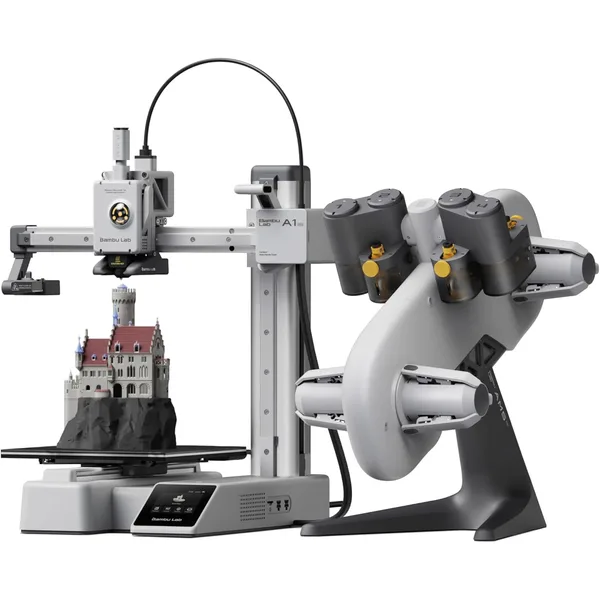
Bambu Lab A1 Mini
$299Bambu Lab · budget
The best-in-class starter 3D printer under $300. Auto calibration, clean UI, print-ready out of the box.
- 180×180×180 mm build volume
- Auto bed leveling + calibration
- ~90W average power draw
The A1 Mini is, full stop, the easiest first 3D printer to own in 2026. Bambu Lab spent the engineering effort to make every annoying part of 3D printing automatic — bed leveling, flow rate calibration, vibration compensation, even filament loading — and they wrapped it in a printer that costs less than a mid-range mechanical keyboard.
What you give up at this price: build volume (180×180×180 mm is enough for most hobby prints but not large parts), and an enclosed chamber (you can’t print ABS or ASA reliably). What you get: a printer that prints a benchy in 12 minutes on first power-up with zero tuning. For 90% of people getting into 3D printing, that’s the right trade.
The A1 Mini also ships with the AMS Lite multicolor system as an add-on for ~$160, which means once you’re hooked, the upgrade path to four-color printing is one purchase away. None of the other budget picks have this.
Buy this if: You’re not 100% sure you’ll stick with 3D printing and want the lowest-friction way to find out. Also: anyone whose first print will be a Mandalorian helmet, dragon figurine, or organizer for their desk.
Don’t buy this if: You need to print larger than 180mm in any dimension, or you want to print engineering materials (ABS, ASA, polycarbonate) right out of the gate.
Best budget alternative: Creality Ender 3 V3 KE
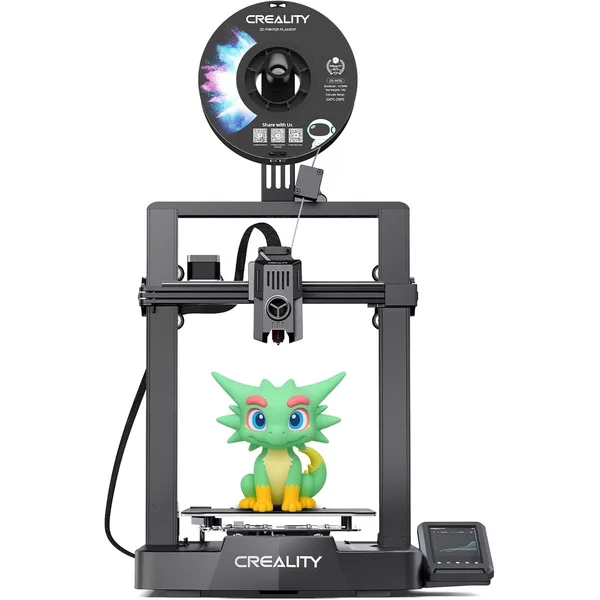
Creality Ender 3 V3 KE
$269Creality · budget
Faster replacement for the classic Ender 3. Klipper firmware, decent out-of-box quality, under $300.
- 220×220×240 mm build volume
- Klipper firmware, 500 mm/s marketed
- ~120W average power draw
The Ender 3 V3 KE is the modern descendant of the most-sold 3D printer line in history. It runs Klipper firmware (which Creality finally embraced after years of resistance), prints noticeably faster than the original Ender 3, and comes auto-leveled out of the box.
The biggest reason to consider this over the Bambu A1 Mini is the build volume: 220×220×240 mm vs 180×180×180. For prints larger than ~7 inches in any dimension, the Ender V3 KE has an extra 40mm of headroom that matters. The other reason is the community: Ender 3 owners number in the millions, and any problem you can have with a 3D printer has been answered on a Reddit thread somewhere.
The trade-off is rougher edges than Bambu. The Creality slicer (Creality Print) is fine but not as polished as Bambu Studio. The first-layer calibration is good but requires a manual prompt to start. The included PEI plate is excellent, but the printer rattles more than a Bambu (it’s a bedslinger, not a CoreXY).
Buy this if: You need a build volume bigger than the A1 Mini, you value community support, or you’re comfortable with a slightly more “tinker-ish” experience in exchange for the bigger workspace.
Don’t buy this if: You value plug-and-play above all else — that’s the A1 Mini’s lane.
Best mid-tier: Bambu Lab P1S
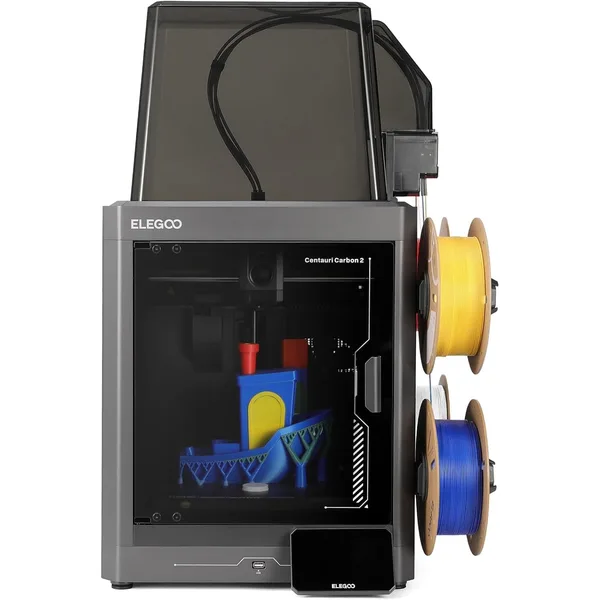
Bambu Lab P1S
$699Bambu Lab · mid
Enclosed CoreXY that just works. The default pick for anyone ready to graduate from a starter bedslinger.
- 256×256×256 mm enclosed chamber
- ~25 mm³/s volumetric flow
- Handles PLA, PETG, ABS, ASA
If you’re confident you’ll stick with the hobby and you have $700 to spend, the P1S is the “buy once, cry once” pick. It’s an enclosed CoreXY printer that handles every common filament — PLA, PETG, ABS, ASA, even basic PA blends — with the same clean Bambu UX as the A1 Mini.
The enclosed chamber is the killer feature. Open-frame printers can technically print ABS, but the parts warp and crack because the chamber temperature drops too fast. The P1S maintains chamber temp around 40°C during PLA prints and 50°C for ABS, which keeps layers bonded and parts dimensionally stable. This is the difference between “ABS is a nightmare on a beginner printer” and “ABS is fine.”
Speed is the other bump. The P1S hits ~25 mm³/s volumetric flow vs the A1 Mini’s ~16 mm³/s. In practice, that means a 100-gram print that takes 1h 15m on the A1 Mini takes about 50 minutes on the P1S. If you’re going to print a lot, the time savings compound quickly.
Buy this if: You’re a year+ into the hobby, you want to print engineering materials, or you’re starting a small print shop / Etsy business and need a workhorse that prints fast and rarely fails.
Don’t buy this if: This is your first printer and you’re not sure 3D printing will stick. Start with the A1 Mini — you can always upgrade later, and the P1S will still be on sale.
Surprise pick: Elegoo Centauri Carbon
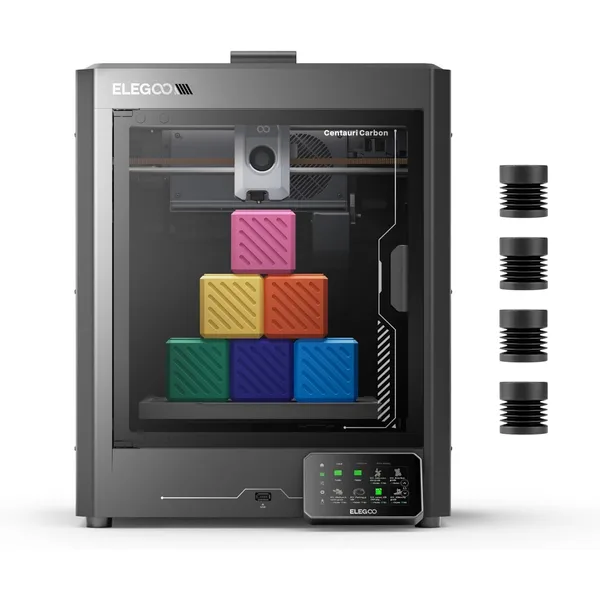
Elegoo Centauri Carbon
$299Elegoo · mid
The surprise of 2025 — an enclosed CoreXY with 320°C hotend for under $400. Punches way above its price.
- 256×256×256 mm enclosed CoreXY
- 320°C hardened-steel nozzle
- Auto calibration, ~25 mm³/s flow
The Centauri Carbon was the surprise of 2025 and remains underappreciated in 2026. It’s an enclosed CoreXY printer with a 320°C hardened-steel hotend (which means it can print abrasive filaments like PLA-CF and carbon-fiber PETG) for $299. That’s roughly half the price of the closest comparable Bambu, and it ships with auto calibration, a heated chamber, and Klipper-class firmware.
What’s the catch? Two things. First, the community is small — Bambu Lab has a million users, Elegoo Centauri Carbon has maybe 50,000. Troubleshooting threads are sparser, and the slicer (Elegoo Cura) is less polished than Bambu Studio. Second, the filament library is narrower — Elegoo doesn’t sell their own RFID-tagged filaments the way Bambu does, so you’re using generic profiles for everything.
But for the price, the Centauri Carbon is genuinely incredible. If you know you want enclosed CoreXY and you can’t stretch to the P1S, this is the right pick. It also makes a fantastic second printer for anyone who already has a Bambu A1 — paired together, you get one fast bedslinger for big colorful prints and one enclosed CoreXY for engineering work, for less than the price of a single P1S Combo.
Buy this if: You want enclosed CoreXY capability on a budget, you already have some 3D printing experience, or you’re building out a small print farm and want to pair multiple machines without spending Bambu money.
Don’t buy this if: This is your first printer — the smaller community will make troubleshooting harder than it has to be.
Things that aren’t on this list (and why)
A few popular printers we deliberately left off:
- Original Bambu Lab A1 (full size, not Mini). A great printer, but at $399 it’s only $100 more than the Mini and the upgrade isn’t worth it for a beginner. If you want bigger build volume, get the Ender 3 V3 KE for $130 less.
- Creality K1 / K1 Max. Capable enclosed CoreXY printers, but they had a rough launch with lots of QC issues, and the firmware is locked-down (no easy Klipper customization). Bambu does enclosed CoreXY better at the same price.
- Prusa MK4S. Genuinely excellent printer, but at $799 with no enclosure, it’s hard to justify against the P1S (which is $100 cheaper and enclosed). The MK4S is a “we love our community” pick, not an objective best buy.
- Anycubic Kobra 3. Fine bedslinger, but doesn’t differentiate from the Ender V3 KE meaningfully and has a smaller community.
- Anything from a brand you’ve never heard of. Tronxy, Voxelab, Two Trees, Sovol — there are good printers in these lineups, but as a beginner, you don’t want to be the one finding out which models are reliable and which aren’t. Stick with Bambu, Creality, Prusa, Elegoo, and Anycubic.
What you’ll spend beyond the printer
Sticker price isn’t the full picture. Plan for these:
- Filament: $30–$50 for two 1kg spools to get you through the first month. We have a filament cost guide with brand recommendations.
- A spare nozzle: $5–$15. Brass nozzles wear out after a few hundred hours of PLA. You’ll thank yourself for having a spare.
- A small toolkit: $10–$25. Tweezers, side cutters for support removal, a deburring tool, painter’s tape (for the few times your bed adhesion needs help). Most printers ship with the basics included.
- Filament dryer (optional): $40–$60. Not strictly necessary for PLA, but if you live somewhere humid or want to print PETG / Nylon reliably, it’s the single best accessory you can buy.
- An hour or two of YouTube. “First print on a Bambu A1 Mini” type videos are excellent for getting comfortable with your specific machine.
Total realistic first-month spend: $340–$500 depending on the printer you pick.
How to budget for ongoing costs
Filament is the main consumable. At our filament cost calculator, you can plug in a typical print weight and your filament price to see what each part actually costs. For most hobbyists printing 5–10 hours a week, filament runs $10–$25 per month.
Electricity is essentially free for hobbyists — usually under $1/month for the average user. We break this down at the electricity cost calculator, which has presets for every printer in this guide.
If you start selling prints (a common path within the first year), you’ll want to start tracking labor and machine depreciation in your pricing. Our print cost calculator handles all of that and includes Etsy/eBay/Amazon fee structures.
Frequently asked questions
What’s the absolute cheapest 3D printer that’s actually good?
The Creality Ender 3 V3 KE at $269 is the floor. Anything cheaper is either an older model with manual leveling (skip), a no-name brand from a sketchy seller (skip), or a print-quality compromise that’ll frustrate you within a week. Below $250 in 2026, you’re paying for someone else’s QC problems.
Should I buy a kit or a pre-assembled printer?
Pre-assembled, every time, for a beginner. Printer kits used to make sense when assembled printers cost double, but in 2026 the price gap is small and the assembled versions ship with tested components. Save yourself the 4-hour assembly headache.
How long until I’m printing useful stuff?
Day one for downloaded models. About week 2-4 for designing your own parts (Tinkercad is the easy starting point, Onshape is the “real CAD” upgrade when you outgrow Tinkercad). Most beginners spend their first month printing existing models from Printables/Makerworld and gradually start designing simple parts after that.
What’s the difference between a bedslinger and CoreXY?
Bedslinger = the print bed moves on the Y axis, the print head moves on X and Z. Examples: Ender 3 V3 KE, Bambu A1 Mini, Prusa MK4. Cheaper, simpler, slightly slower at high quality settings, harder to enclose.
CoreXY = the print bed only moves on Z (up/down), the print head moves on X and Y simultaneously via belts. Examples: Bambu P1S/X1C, Creality K1, Elegoo Centauri Carbon, Voron. More complex, faster, smoother at high quality, enclosed by default.
For beginners, the answer is “either is fine, get the one in your budget.” Bedslingers aren’t worse, they’re just older.
Is it worth waiting for a better printer to come out?
No. The 3D printer market is moving fast enough that there’s always a “better” printer coming in 6 months. If you keep waiting, you never start. The four printers in this guide will all be excellent picks for at least the next 12-18 months.
Bambu vs Prusa — which is better?
Bambu wins on UX, speed, and price. Prusa wins on community, firmware openness, and the warm fuzzy feeling of buying from a Czech open-source company. Both make great printers. For a beginner in 2026, Bambu is the easier recommendation because the auto-everything experience is closer to “appliance” than “tinker project.” Prusa appeals to people who want to understand their printer; Bambu appeals to people who want to use it.