Bambu Lab and Prusa Research are the two biggest names in consumer 3D printing in 2026, and they represent two completely different philosophies. Bambu is the appliance approach: closed ecosystem, hardware that just works, software that gets out of your way, optimized for “press button, get part.” Prusa is the engineer’s tool: open-source firmware, hand-soldered electronics, deep customization, optimized for “understand your machine and make it perfect.”
This guide compares them honestly across every dimension that matters, then gives a buying recommendation by use case. No vendor cheerleading, no “they’re both great” hedging.
TL;DR — who wins what
| Category | Winner | By how much |
|---|---|---|
| Out-of-box experience | Bambu | Decisive |
| Print speed | Bambu | Decisive |
| Print quality at slow settings | Tie | Both excellent |
| Engineering material support | Prusa | Slight edge |
| Software polish | Bambu (Bambu Studio) | Decisive |
| Open-source / repairability | Prusa | Decisive |
| Customer support | Prusa | Significant |
| Community size | Bambu (now) | Slight edge |
| Long-term value | Prusa | Slight edge |
| Starting price | Bambu (A1 Mini at $299) | Significant |
The one-line answer: Bambu Lab if you want a 3D printer that works like an appliance. Prusa if you want a 3D printer you can understand, modify, and rely on for the next decade.
For most beginners in 2026, that points at Bambu Lab. For makers, engineers, and people who want their printer to be a long-term tool rather than a consumer device, that points at Prusa.
Quick history
Prusa Research is the older company, founded in 2012 by Josef Prusa in Prague, Czech Republic. They started by selling kits based on the open-source RepRap project, then iterated through the i3 series (MK1 → MK3S+) which became the gold standard reliable 3D printer for almost a decade. In 2023 they launched the MK4 (later MK4S), and in 2024 they released the CORE One (their first enclosed CoreXY) and the multi-tool XL.
Bambu Lab is the newer company, founded in 2020 in Shenzhen by ex-DJI engineers. They launched the X1 Carbon in 2022, and within two years they’d captured a huge portion of the consumer market by being significantly faster and cheaper than Prusa while requiring almost no setup. The A1 (2023), A1 Mini (2023), P1S (2023), and the H2D Pro (2025) round out their lineup.
The two companies have different cultures that reflect their origins: Prusa is the Czech open-source enthusiast company that publishes everything (firmware, schematics, slicer source code, repair manuals) and ships every printer with a hand-signed assembly note from the technician who built it. Bambu is the Shenzhen consumer-electronics company that ships polished hardware, runs slick marketing, and treats their software stack as proprietary.
Round 1: Out-of-box experience
Bambu wins decisively.
Open a Bambu Lab P1S box: the printer is fully assembled, calibrated at the factory, and ships with a small filament sample. Plug it in, run a 5-minute first-print routine, and you’re printing within 15 minutes of unboxing. The printer auto-calibrates the bed mesh, auto-runs flow rate calibration, auto-recognizes the material from the included AMS RFID tags, and uses pre-tuned slicer profiles in Bambu Studio. There’s nothing to learn before your first print.
Open a Prusa MK4S box: the printer is shipped as a kit by default (you can pay $200 extra for assembled). Even the assembled version requires you to install the spool holder, level the bed (which is automated but takes 10 minutes), and configure your printer in PrusaSlicer. The first print takes ~45 minutes from unboxing, and you’ll spend the first hour reading the documentation.
For a beginner who doesn’t know what bed leveling is, this matters enormously. Bambu has internalized that “the printer should not be a project” and Prusa has not. Prusa’s documentation is thorough — possibly too thorough for a first-time owner who just wants to print a benchy.
Verdict: If you’ve never owned a 3D printer, Bambu is dramatically easier.
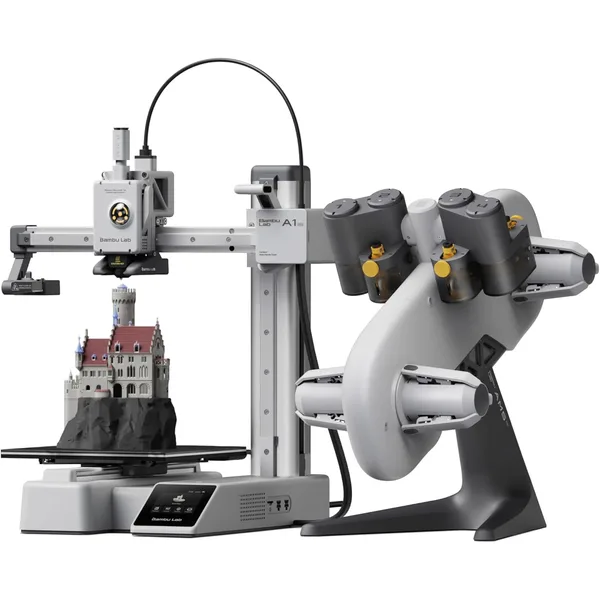
Bambu Lab A1 Mini
$299Bambu Lab · budget
The best-in-class starter 3D printer under $300. Auto calibration, clean UI, print-ready out of the box.
- 180×180×180 mm build volume
- Auto bed leveling + calibration
- ~90W average power draw
Round 2: Print speed
Bambu wins decisively.
The Bambu P1S hits ~25 mm³/s of volumetric flow on stock hardware. The X1 Carbon hits ~28 mm³/s. The A1 hits ~20 mm³/s. The Prusa MK4S hits ~18 mm³/s. The Prusa CORE One hits ~22 mm³/s. The Prusa XL hits ~15 mm³/s (lower than expected because it’s a multi-tool with more travel overhead).
For the same print:
- 40g PLA part on Bambu P1S: ~25 minutes
- 40g PLA part on Prusa MK4S: ~38 minutes (50% slower)
- 40g PLA part on Prusa MINI+: ~60 minutes (140% slower)
In the past, “speed” was a race to the bottom on quality — fast printers produced ugly parts. Bambu broke that trade-off by combining high volumetric flow with input shaping, vibration compensation, and aggressive pressure advance tuning. Modern Bambu prints look as good as Prusa prints at half the time.
The honest Prusa counter: the CORE One narrowed the gap significantly. At 22 mm³/s vs Bambu’s 25, the CORE One is only 12% slower than a P1S in real prints, and Prusa has more aggressive plans for firmware-level speed improvements over the next 12 months. By late 2026 or early 2027 the gap might be negligible. Today, in early 2026, Bambu still wins.
Verdict: Bambu prints meaningfully faster across every comparable price point.
See our print time guide for detailed numbers per printer.
Round 3: Print quality at slow settings
Tie.
When you slow either printer down to ~50 mm/s and crank the layer height to 0.12mm, the print quality is essentially indistinguishable. Both companies have excellent kinematics, both use Klipper-class firmware (Prusa’s MK4S firmware is RepRap-derived but functionally equivalent), and both ship with input shaping enabled.
The differences at slow speeds come down to material — Bambu’s PLA Basic and Prusa’s Prusament both produce gorgeous parts when given enough time. There’s no objective “Prusa quality is better” or “Bambu quality is better” claim that survives a controlled test.
The Prusa marketing line has historically been “we make the highest-quality consumer 3D printer in the world.” That was clearly true in 2020. In 2026, it’s not — Bambu’s quality is comparable, and at Bambu’s prices, it’s the better quality-per-dollar.
Verdict: Both produce excellent prints. Pick on other factors.
Round 4: Engineering material support
Prusa edges out by a slight margin.
For PLA, PETG, and TPU, both companies handle them equally well. For ABS, ASA, PA-CF, and high-temperature engineering plastics, Prusa has a slight edge:
- Prusa CORE One has a more aggressive heated chamber than the Bambu P1S, hitting 55-60°C vs Bambu’s ~45°C. Higher chamber temps mean better layer adhesion on warpy materials.
- Prusa XL is the only sub-$2K printer that handles polycarbonate reliably out of the box.
- Prusa MK4S has an open-frame design that lets you add an external enclosure (Prusa sells one) for the same chamber temperature performance as Bambu’s enclosed models.
Bambu’s counter-argument: the X1 Carbon is rated for ABS, ASA, PC blends, PA, and PA-CF, and in practice it handles all of them. The X1 Carbon’s official spec sheet matches the Prusa CORE One almost exactly.
The Prusa edge is “slightly better tuning out of the box for engineering materials.” It’s real but small — most users won’t notice.
Verdict: If you print engineering plastics every day, Prusa CORE One or XL. If you print engineering plastics occasionally, Bambu X1 Carbon.
Bambu Lab X1 Carbon
$1199Bambu Lab · premium
The high-end Bambu. AI failure detection, LiDAR calibration, multi-material AMS. For serious makers and small print farms.
- Enclosed CoreXY, ~28 mm³/s flow
- LiDAR first layer calibration
- Handles PA, PC, PLA-CF out of the box
Round 5: Software polish
Bambu wins decisively.
Bambu Studio is the best consumer 3D printing slicer in 2026. It’s based on the open-source PrusaSlicer codebase, which Prusa themselves built — Bambu forked PrusaSlicer in 2022 and added:
- Cleaner, more modern UI
- Multi-material AMS handling (Prusa’s MMU3 system is older tech)
- Better print profiles tuned for Bambu hardware
- Native cloud printing through Bambu Handy (mobile app)
- Time-lapse support, AI failure detection, on-the-fly tuning
PrusaSlicer is excellent and is still the better choice for non-Bambu printers. But on a Bambu printer, Bambu Studio is meaningfully better than PrusaSlicer, which is awkward because PrusaSlicer is Prusa’s own slicer.
Prusa is aware of this and has been catching up — the recent PrusaSlicer 2.8 release added many of Bambu Studio’s features back in. As of early 2026, Bambu Studio is still ahead, but the gap is closing.
OrcaSlicer (the third major option) is a fork of Bambu Studio that works with both Bambu and Prusa printers, and it’s arguably the best slicer for users who want Bambu Studio’s features on Prusa hardware. Many Prusa MK4S owners use OrcaSlicer instead of PrusaSlicer for this reason.
Verdict: Bambu Studio > PrusaSlicer for new users. OrcaSlicer is the cross-platform pick.
Round 6: Open-source and repairability
Prusa wins decisively.
Prusa publishes:
- Full firmware source code (RepRap-derived, GPL licensed)
- Schematics and PCB layouts for every electronics board
- Step-by-step repair documentation for every component
- Hand-signed assembly notes from the technician who built your printer
- Spare parts available for printers as old as 2014
Bambu publishes:
- Some firmware source (recent commitment, partial)
- A repair manual for the X1C
- A spare parts catalog for current models
If a fan dies on a Prusa MK4S in 2030, you’ll be able to replace it. If a mainboard fails on a Bambu P1S in 2030, you might not — Bambu might have moved on to newer hardware, and the boards might not be available anymore.
For most consumers, this doesn’t matter — they’ll buy a new printer in 5 years anyway. For makers, hobbyists who want to keep the same printer for a decade, and anyone in a region with poor warranty support, Prusa’s open-source commitment is genuinely valuable.
This is also a values question. Prusa contributes back to the open-source 3D printing community (RepRap, OctoPrint, OpenSCAD) financially and with engineering hours. Bambu uses open-source code (their firmware is built on Marlin, their slicer is forked from PrusaSlicer) but contributes much less back.
Verdict: If open source matters to you, Prusa.
Round 7: Customer support
Prusa wins significantly.
Prusa has a dedicated US/EU support team. Email response within 24 hours, phone support during business hours, and a documented escalation process. If your printer breaks within warranty, they’ll ship replacement parts free, and they’re patient with diagnostic conversations.
Bambu support is via email and ticket system only, and response times have been inconsistent (24-72 hours, sometimes longer during sales events). The product is reliable enough that most users never need support, but when something goes wrong, Prusa is meaningfully easier to deal with.
This matters more than people expect. 3D printers are complicated machines that fail in non-obvious ways, and the difference between “called Prusa, talked to a friendly engineer who walked me through the fix” and “submitted a ticket, got a templated response 48 hours later, gave up” is significant.
Verdict: Prusa’s customer service is meaningfully better.
Round 8: Community size
Bambu wins by a slight margin (in 2026).
Three years ago, the Prusa community was the largest in 3D printing. Today, Bambu has caught up and slightly surpassed them — r/BambuLab has more daily active users than r/prusa3d, and YouTube tutorials for Bambu printers outnumber Prusa tutorials 3:1.
This affects troubleshooting speed. If your Bambu A1 Mini does something weird, there’s a 95% chance someone else has already posted the exact same issue with a fix. For Prusa, the older models have deep community archives, but the newer CORE One has thinner coverage because it’s a newer design.
The Prusa community is more technically sophisticated on average — Prusa users are more likely to have tuned their printer manually, modified the firmware, or built custom mods. The Bambu community is larger but skews more “first 3D printer” demographics.
Verdict: Bambu has more people, Prusa has more depth.
Round 9: Long-term value
Prusa wins by a slight margin.
A Prusa MK3S+ from 2018 is still a fully supported, fully functional printer in 2026. Spare parts are available. The slicer still recognizes it. The community still answers questions about it. Total ownership cost over 8 years works out to roughly $100/year for someone who got their MK3S+ at the original $750 price.
A Bambu Lab P1S from 2023 is still supported in 2026, but Bambu’s product cycle is faster. They’ll likely launch a P2S or similar successor within 2-3 years, and the P1S will move into “older model” status (still working, but less prominently marketed). It probably won’t be obsolete in 8 years, but it will feel that way sooner than a Prusa.
The other long-term value factor is repairability (covered above). A Prusa is more likely to be running in 2034 than a Bambu, both because the parts are available and because the community knows how to fix them.
The honest counter: Bambu printers are also significantly cheaper, so even if they have shorter useful life, the cost-per-year math is similar. A $700 P1S that lasts 5 years is $140/year. A $800 MK4S that lasts 10 years is $80/year. Prusa wins on absolute cost per year, but the gap is small.
Verdict: Slight Prusa edge for long-term value, especially for tinkerers.
Round 10: Starting price
Bambu wins decisively.
The cheapest Bambu printer is the A1 Mini at $299. The cheapest Prusa is the MINI+ at $459 (or $349 as a kit). On the same build volume class:
- Bambu A1 Mini ($299) vs Prusa MINI+ ($459) — Bambu is 35% cheaper
- Bambu P1S ($699) vs Prusa MK4S ($799) or CORE One ($1199) — Bambu is 13-42% cheaper
- Bambu X1 Carbon ($1199) vs Prusa XL ($1999) — Bambu is 40% cheaper
For someone on a strict budget, the price difference is dispositive. You can buy a Bambu A1 Mini and a year’s worth of filament for the cost of an assembled Prusa MINI+.
The Prusa counter is that you’re paying for the things Prusa is better at (open source, support, longevity), and that the price gap reflects real value. That’s defensible — if you weight those things highly. For someone who just wants a printer, the price gap doesn’t pencil out.
Verdict: Bambu is meaningfully cheaper at every comparable tier.
Buy recommendation by use case
”I’m a beginner, this is my first 3D printer”
Buy Bambu Lab A1 Mini ($299). Easiest setup, lowest price, fastest path to a working print, biggest community for troubleshooting. If you outgrow it within a year, you can sell it on Facebook Marketplace for ~$200 and put that toward a P1S.
”I want one printer that handles everything for the next 5 years”
Buy Bambu Lab P1S ($699). Enclosed CoreXY, prints PLA/PETG/ABS/ASA, great speed, strong community, AMS-ready for multi-color. For 90% of hobbyists, this is the right answer.
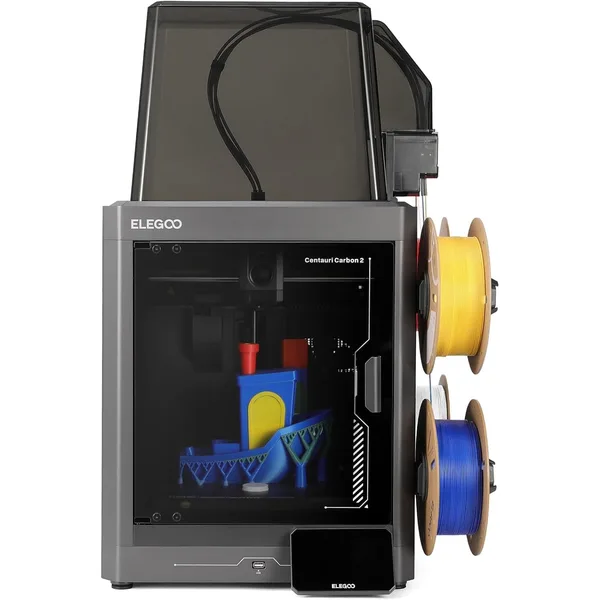
Bambu Lab P1S
$699Bambu Lab · mid
Enclosed CoreXY that just works. The default pick for anyone ready to graduate from a starter bedslinger.
- 256×256×256 mm enclosed chamber
- ~25 mm³/s volumetric flow
- Handles PLA, PETG, ABS, ASA
”I want the most engineering-capable consumer printer”
Buy Prusa CORE One ($1199) or Bambu X1 Carbon ($1199). They’re priced identically and capability is roughly equivalent. Pick CORE One if you value open-source and customer support, X1 Carbon if you value Bambu Studio + AMS.
”I’m an engineer / I want to understand my machine”
Buy Prusa MK4S ($799). Open frame so you can see what’s happening, hand-soldered electronics, deep documentation, repairable for the next 10 years. The “learning printer” choice.
”I’m running an Etsy print shop / small business”
Buy 2-3 Bambu P1S printers. The speed advantage compounds when you’re running multiple machines. Bambu Studio’s print farm features (cloud monitoring, mobile alerts) are better than Prusa’s. Total cost of 3× P1S ≈ 2× MK4S.
”I want to print large parts (300mm+)”
Buy Prusa XL ($1999). Bambu doesn’t have a competitive large-format option in 2026. The XL also has multi-tool capability that Bambu’s AMS can’t match for clean multi-material prints.
”I’m on a strict budget under $300”
Buy Creality Ender 3 V3 KE ($269) instead. It’s not Bambu or Prusa, but at the sub-$300 price it’s the best value. Both Bambu and Prusa have minimum prices that put them above this tier.
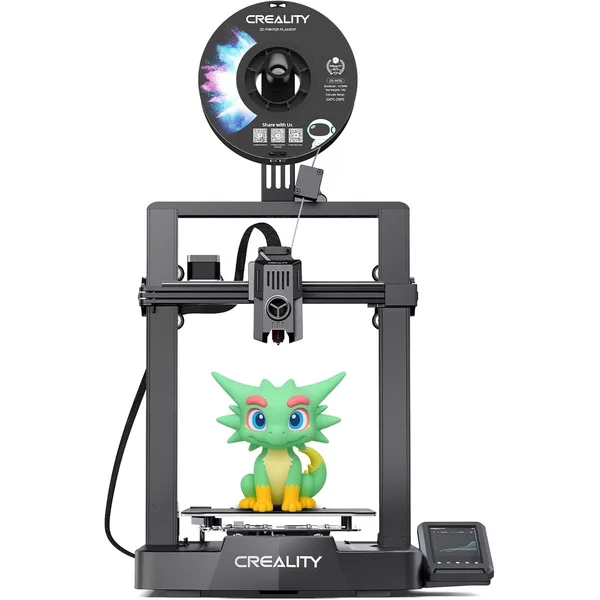
Creality Ender 3 V3 KE
$269Creality · budget
Faster replacement for the classic Ender 3. Klipper firmware, decent out-of-box quality, under $300.
- 220×220×240 mm build volume
- Klipper firmware, 500 mm/s marketed
- ~120W average power draw
Final word
The honest summary: Bambu Lab is the right choice for most consumers in 2026. The combination of price, ease of use, speed, and software polish is hard to beat, and for someone whose primary goal is “make 3D prints,” Bambu delivers that goal with the least friction.
Prusa is the right choice for makers, engineers, hobbyists who care about open source, and anyone who wants their printer to last a decade. The price premium is real, but you’re paying for things that genuinely matter to a specific kind of user.
The two companies are pushing each other forward — Prusa’s CORE One was a direct response to the Bambu P1S, and Bambu’s recent firmware improvements are tracking Prusa’s polish. We’re all better off because both companies exist. But if you have to pick one in 2026, the answer for most people is Bambu.
If you’re still undecided, the lowest-risk move is to buy the Bambu A1 Mini for $299. It’s cheap enough that if you decide you want a Prusa later, you’ve barely sunk any money. And there’s a 70% chance you’ll be perfectly happy with it and never feel the need to upgrade.
Frequently asked questions
Is the Prusa MK4S worth the extra $100 over the Bambu P1S?
For most users, no. The P1S is faster, enclosed, and has better software. The MK4S is more open and more repairable. Pick MK4S only if those things matter to you specifically.
Do Bambu printers really break more than Prusa printers?
No — reliability data is similar between the two brands. Bambu printers do have a higher rate of “user complaint” issues in their first year because their user base is much less technical (more first-time owners). Hardware failure rates are roughly equivalent.
Can I use PrusaSlicer with a Bambu printer?
Yes, sort of. PrusaSlicer has community-made profiles for Bambu printers, but the experience is rough — you lose AMS multi-material handling, RFID auto-config, and some firmware features. Use Bambu Studio (or OrcaSlicer) for Bambu printers. PrusaSlicer is for Prusa hardware.
Will Bambu ever open-source their firmware?
They’ve made limited commitments to open-source pieces of it but show no signs of full open-sourcing. This is a strategic choice — keeping their firmware proprietary protects their hardware-software integration moat. Don’t expect this to change.
Which has better resale value?
Prusa, by a small margin. Used Prusa MK3S+ printers from 2019 still sell for $400-500 on Facebook Marketplace; equivalent-age Bambu P1S printers sell for slightly less. The depreciation curve is steeper for Bambu because their lineup refreshes faster.
What about Creality, Anycubic, Elegoo, and Sovol?
They’re real options at lower price points, but they’re not in the same league as Bambu/Prusa for stock reliability and software polish. The Creality K1 Max is the closest non-Bambu/Prusa option for the high-end CoreXY market, and the Elegoo Centauri Carbon is a strong sub-$300 alternative if you want enclosed CoreXY on a budget. See our best beginner printers guide for the broader picture.